In this guide, I will walk you through everything you need to know about the Chainlink staking process. We’ll dive into what Chainlink staking is, who is allowed to stake LINK tokens, and how much you could earn. We’ll also review the staking timelines and how Chainlink Staking v0.2 differs from v0.1. Next, I’ll provide you with step-by-step instructions on how to stake your LINK tokens and I’ll explain how long you need to lock up your LINK tokens. Finally, we’ll explore the alternative option of liquid staking and some of the drawbacks of staking.
Update: the community pool for LINK staking is now full which means you can’t stake LINK in the official pool. However you can still do liquid staking
- What’s Chainlink?
- What is Chainlink staking?
- Who can stake LINK?
- How much can I earn staking Chainlink?
- When can I stake LINK?
- Wait, what’s special about Chainlink Staking V0.2?
- How to stake Chainlink: step-by-step guide
- What is the minimum and maximum amount I can stake?
- How do I unstake my LINK?
- How does staking yield get paid out?
- What is Liquid LINK staking?
- Can I choose which node to stake with?
- What are the drawbacks of staking Chainlink?
- Up next
What’s Chainlink?
Chainlink is a decentralized oracle network. An Oracle is a data provider that connects smart contracts with real-world data.
For example, say you code up a smart contract that pays out $100,000 if the price of ETH hits $3,000. How does the smart contract know the price of ETH? The Ethereum blockchain does not have access to such external data as the price is determined in real-time by the market.
Chainlink node operators source the price from at least 3 different data providers each. So for example a telecoms company might operate a node and source the price from Coingecko, CoinmarketCap, and CryptoCompare. These companies in turn get their data directly from cryptocurrency exchanges.
The Chainlink Network then delivers the median price across all nodes.
This way the smart contract can securely pull the price of ETH. If the smart contract were dependent on a single data provider it would be extremely susceptible to being exploited. All one would need to do is hack Coinmarketcap or Coingecko to change the reported price of ETH and trigger the payout from the contract. However, this is impossible to do when the network is decentralized across multiple data sources.
What is Chainlink staking?
Chainlink data providers can offer security guarantees for their data by locking up Chainlink tokens called LINK. They lock up their LINK tokens by sending them to a smart contract that operates according to certain rules.
If the provider is found to be providing incorrect data the amount of their LINK tokens could be slashed. Their LINK is at stake so to speak. Hence the term Staking.
By staking LINK for the duration that they provide their data, data providers signal that their data is accurate and trustworthy. The more a data provider stakes the more trustworthy the data. This adds a new layer of crypto-economic security to smart contracts.
The staking feature is a core initiative of Chainlink Economics 2.0, a new suite of Chainlink services.
Who can stake LINK?
Both node operators and LINK holders can stake on Chainlink.
How much can I earn staking Chainlink?
As a Node operator, you stake LINK to provide security guarantees and you receive a higher reward rate compared to community members of around 7%. Only nodes for price feeds can participate currently.
Community stakers delegate their LINK to node operators who take a 5% cut of the rewards. If the LINK pool fills up then community members can expect to earn a 4.32% yield. However, the new staking mechanism foresees other reward options to come into place such as user fees which means that 4.32% is the base reward rate. The actual reward is higher and depends on what rewards get added and what percentage of the pool has been staked.
In addition, if you alert Chailink that something is wrong with the data provider you get rewarded with 7,000 LINK.
When can I stake LINK?
Chainlink staking v0.2 opened on November 28th, 2023. There are three phases in its rollout
- November 28th-December 9th is open for previous stakers in v0.1 to transition to v0.2. V0.1 was the first iteration of Chainlink staking that was open to a select few stakers.
- December 7th-11th: early access staking. This is for those who have held LINK for a long time, have participated in hackathons, or have educated others about Chainlink. You can check the eligibility criteria here
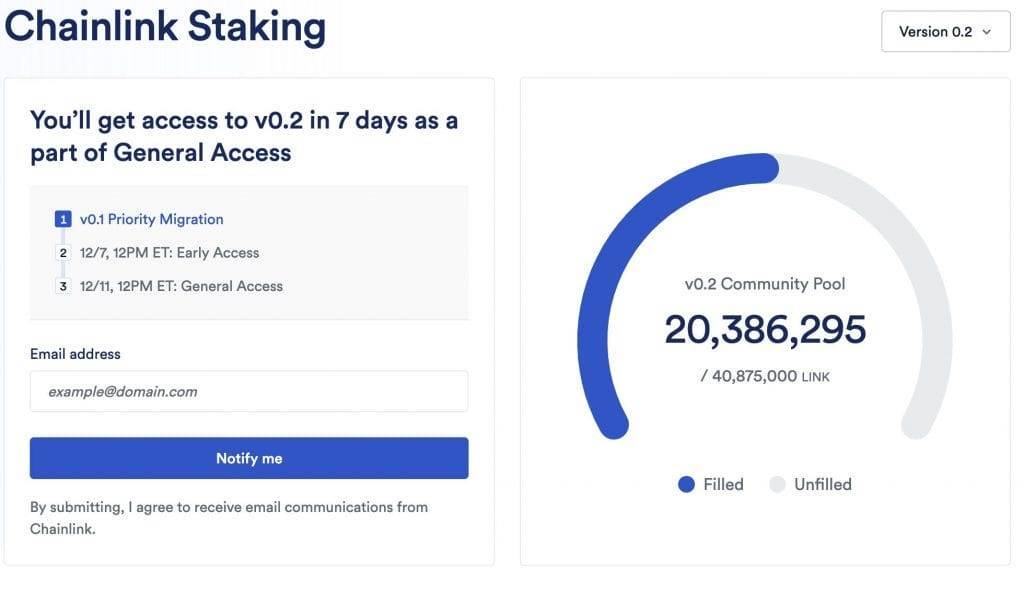
- General access December 11th onwards after which LINK token holders can participate in staking Chainlink on a first come first served basis until 45 million LINK has been staked.
Out of the 45 million LINK reserved for staking, 4,125,000 is allocated to Node Operators and the remaining 40,875,000 is for community stakers.
Wait, what’s special about Chainlink Staking V0.2?
V0.2 has an expanded pool size of 45 Million compared to the initial staking program whose pool size was 25 million.
This accounts for 8% of the current circulating supply of LINK which should result in upward pressure on LINK’s price. The launch of chainlink staking v 0.2 also brings some new features such as:
- A new unbonding mechanism for greater flexibility so that you can unstake your staked tokens if you change your mind.
- Slashing for node operators who don’t behave nicely i.e. Node operators are punished for bad behavior by having their stake removed (slashed)
- A modular architecture will allow staking to expand to more services beyond price feeds in the future
- A Dynamic rewards mechanism that can support other types of rewards such as those coming from user fees in the future.
Also see What Is Chainlink Backed By
How to stake Chainlink: step-by-step guide
To stake LINK visit staking.chain.link and connect your wallet. You will need an ERC-20 compatible wallet that uses a Chrome extension.
Some popular ones are Metamask, Trust Wallet, and Coinbase Wallet. Not all of them are compatible though.
For example, I was dismayed to find out that Exodus wallet is not compatible yet. The safest bet is to use MetaMask for now.
1) Set up a wallet
If you already have LINK tokens in your wallet you can skip this step. Otherwise please read carefully:
If you don’t have any LINK tokens see my instructions on how to get chainlink.
Once you buy LINK on an exchange you need to transfer it to a wallet.
If you don’t have a wallet you can use any wallet that supports ERC-20 tokens and has an extension.
I will use MetaMask for this example, but the process is the same for all other wallets. If you don’t have a wallet then MetaMask is a decent one. For those of you using Hardware wallets both Trezor and Ledger are compatible with MetaMask.
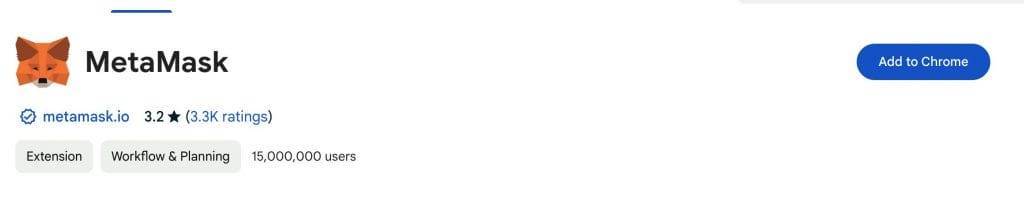
- Add the MetaMask extension to your Chrome browser.
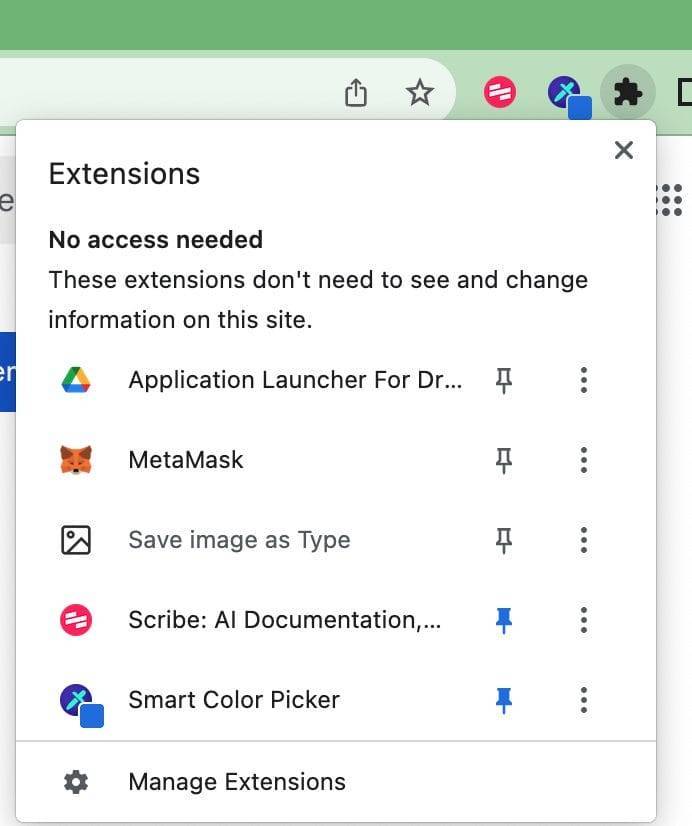
- From the extensions dropdown in your browser click on the pin icon so that it becomes blue. Your MetaMask wallet will appear as an icon on your browser
- Click on the MetaMask icon. A new tab will open up.
- Agree to the terms and conditions and click on Create a new wallet.
- Click I agree and set up a password for your wallet
- Click on I agree and select Secure my Wallet (recommended)
- MetaMask will generate a seed phrase with a series of 12 words. Write the 12 words in the correct order on paper and store it somewhere safe where you won’t lose it. You will need the seed phrase to recover your wallet in case you remove the extension or want to install your wallet on a new device.
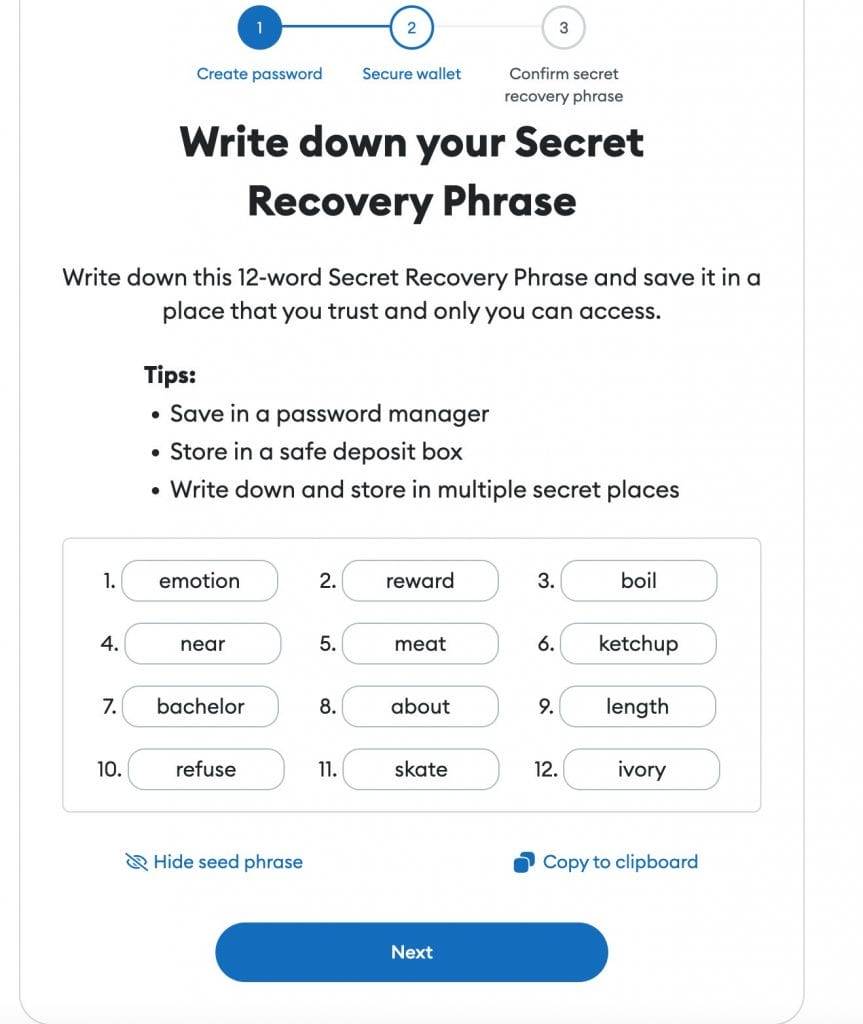
- Next, confirm your recovery phrase
- Your wallet is now ready to use.
2) Load your wallet up with LINK
To send LINK tokens to your wallet log into your account with the crypto exchange you use preferably using the exchange’s app.
Find your LINK and click on Send or Withdrawal.
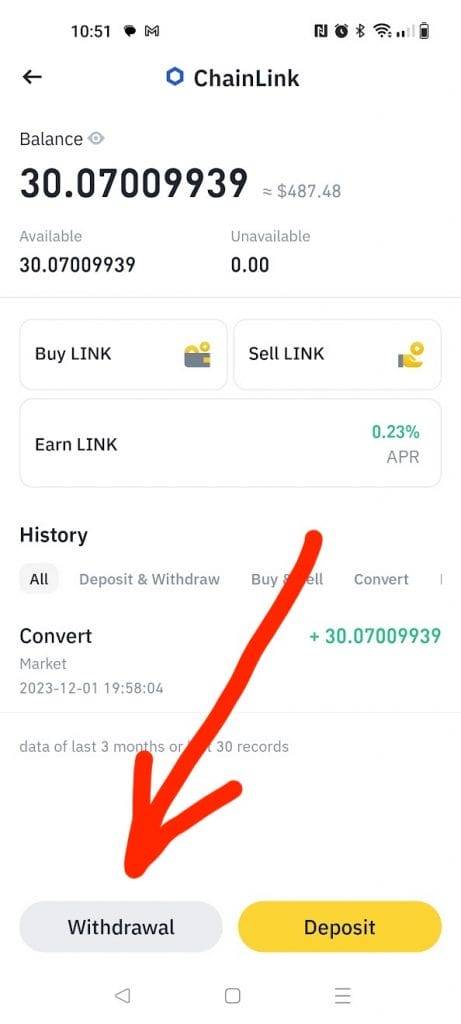
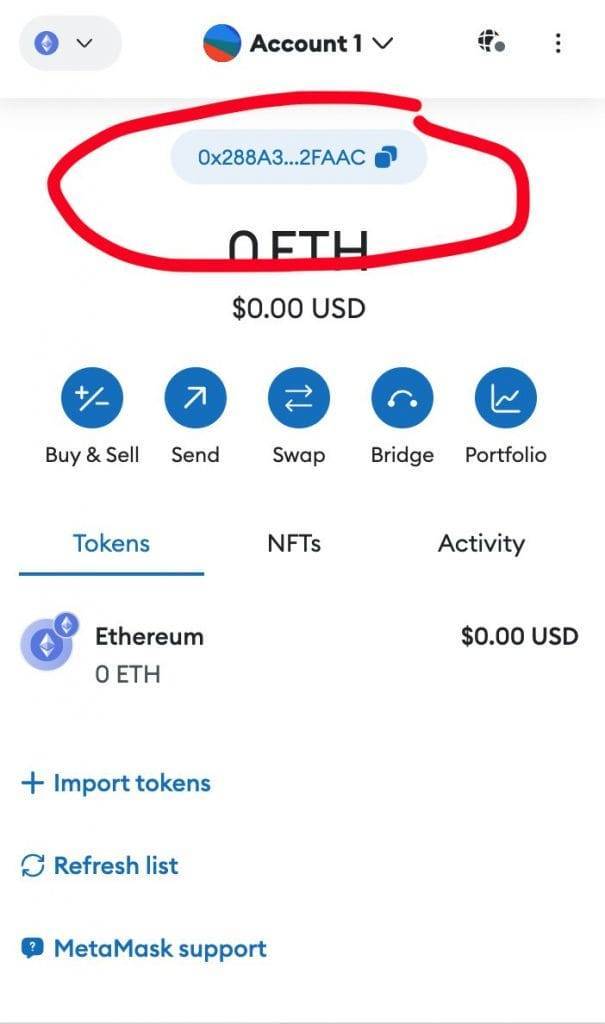
Open your Metamask wallet and copy the address at the top.
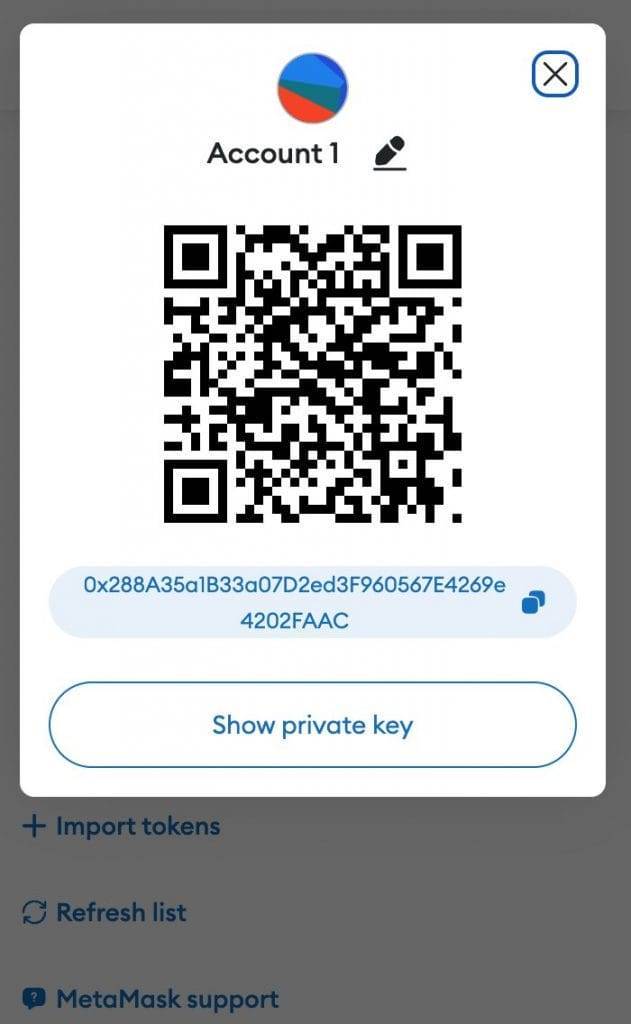
You can also click on the three dots on the top right and select account details to reveal the QR code. Using The QR code reduces the risk of a manual error.
To use the QR code click on the little square icon next to the address field on the exchange’s app and point your phone to the QR code of the Metamask wallet on your screen.
This will populate the address field.
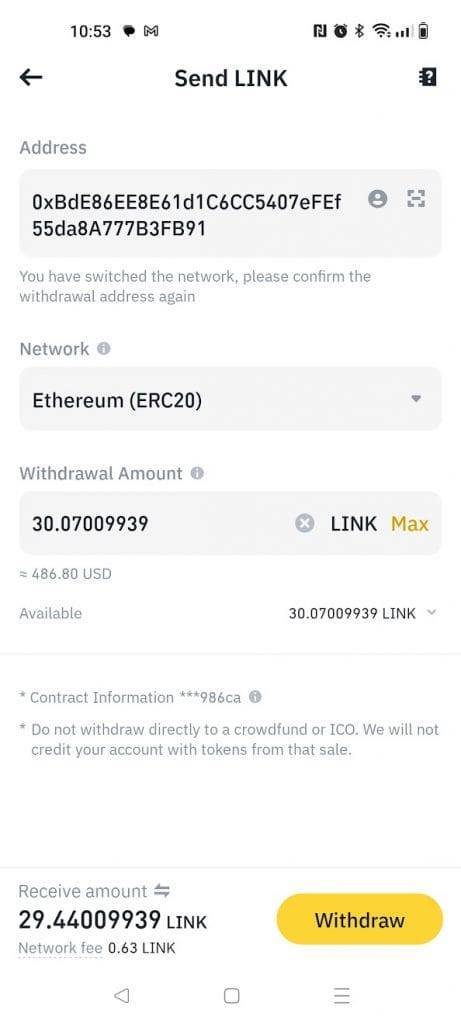
Next, select the Ethereum network from the drop-down and the amount you wish to send. Review the transaction details. Note how because I am sending a small amount of LINK the fee of 0.63 LINK is quite high compared to the amount I plan to stake 29.44 LINK. This works out to about 2% while the staking reward is 4.3%. The exchange will ask you to confirm the transfer using biometrics or a password depending on your settings.
Your funds should appear in the wallet in the next few minutes.
If you do not see them don’t panic. They are there but Metamask can’t read them as it hasn’t imported the token ticker. You need scroll down under the tokens tab and click on import tokens. Search for LINK in the search bar click on Chainlink (LINK) and import them.
3) Connect your wallet
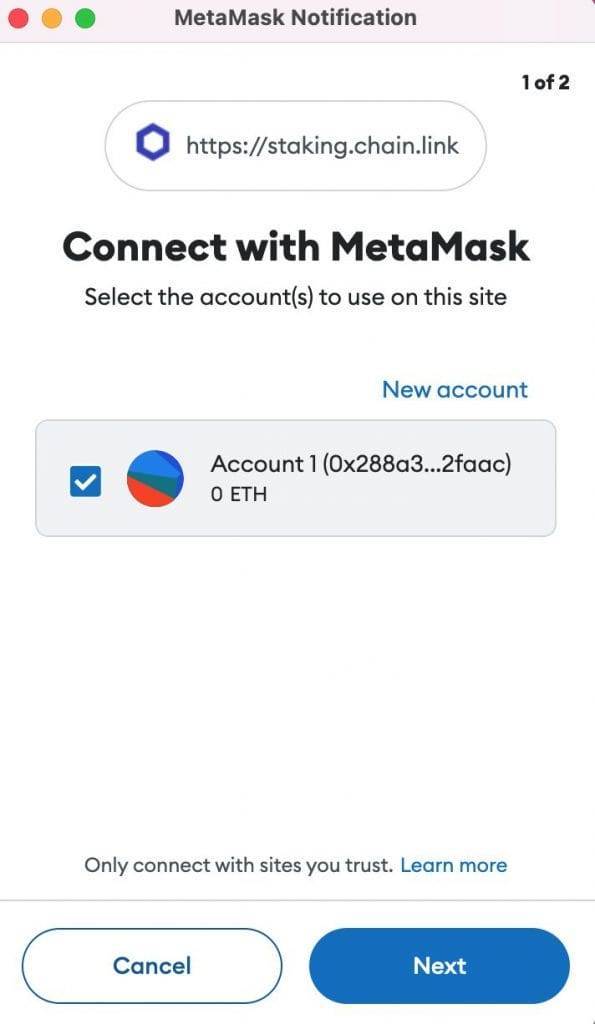
Visit staking.chain.link and click connect wallet in the top right. On the pop-up tick the box to accept the terms and conditions. Next, click on MetaMask.
Your Metamask wallet will pop up and ask you which account you wish to connect. Select your account and click on Connect.
You can drop your email to get notified once staking opens up for general access.
What is the minimum and maximum amount I can stake?
The minimum is 1 LINK and the maximum is 15,000.
How do I unstake my LINK?
Staking is still a relatively new process at Chainlink. The latest iteration of Chainlink Stakin, v0.2, has an unbonding mechanism for users to be able to unstake their LINK.
To unstake your LINK you initiate a withdrawal and wait 28 days (4 weeks). You will continue to accrue rewards in the interim. After that you have 7 days to claim your LINK otherwise it gets staked again. Note that you need to stake for at least 90 days to be able to claim all rewards. If you plan on staking keep in mind that it is a commitment. If you have bought LINK for short-term price speculation then staking is not for you.
How does staking yield get paid out?
Chainlink’s staking yield is generated by fees that smart contracts pay in the form of LINK tokens to providers in return for their data. These fees get distributed to the Oracle networks and to stakers. Chainlink has a fixed supply of 1 billion LINK tokens so unlike other tokens and coins they do not reward staking by issuing new tokens.
What is Liquid LINK staking?
If you are reluctant to stake your LINK in the community pool you could stake it via stake.link‘s liquid staking platform. When you stake LINK on stake.link you will get a token called stLINK for each LINK you stake on their platform.
The cool thing about stLINK is that you can use it as currency elsewhere. You can lend it, invest it, or use it as collateral to borrow. If you want to understand how liquid staking works read my tutorial on Lido crypto.
There are also no withdrawal restrictions so you can easily convert stLINK back to LINK if you want to stop staking.
Check out docs.stake.link/faq for more details
Can I choose which node to stake with?
Not yet. Unlike proof of stake blockchains where you can choose your validator, Chainlink has not advanced its mechanism enough for you to be able to choose which node to support. Your LINK will be auto-delegated across providers until a more advanced reputation system is put in place
What are the drawbacks of staking Chainlink?
- Lock up: you can’t withdraw any rewards until after 90 days and the unbonding period takes a month and you need to be on top of it.
- Node operators risk having 700 LINK slashed if they cannot provide timely data.
- Smart contract risk: things can sometimes go wrong with code so you need to be aware of such risks.
Up next
What is Chainlink Crypto?
In this post, I will explain what Chainlink crypto does in the simplest way possible. I kept hearing about Chainlink before researching it but I hadn’t realized just how big a player they are in the crypto ecosystem. In this post, I will walk you through what Chainlink is, and how it works and give you some concrete examples instead of complicated crypto terminology. Read more.
Is Chainlink Actually Used? Guide with 12 examples
In this post, I will walk you through how Chainlink is used. I will show you which apps and companies are using Chainlink and the extent of its usage. Read more.